
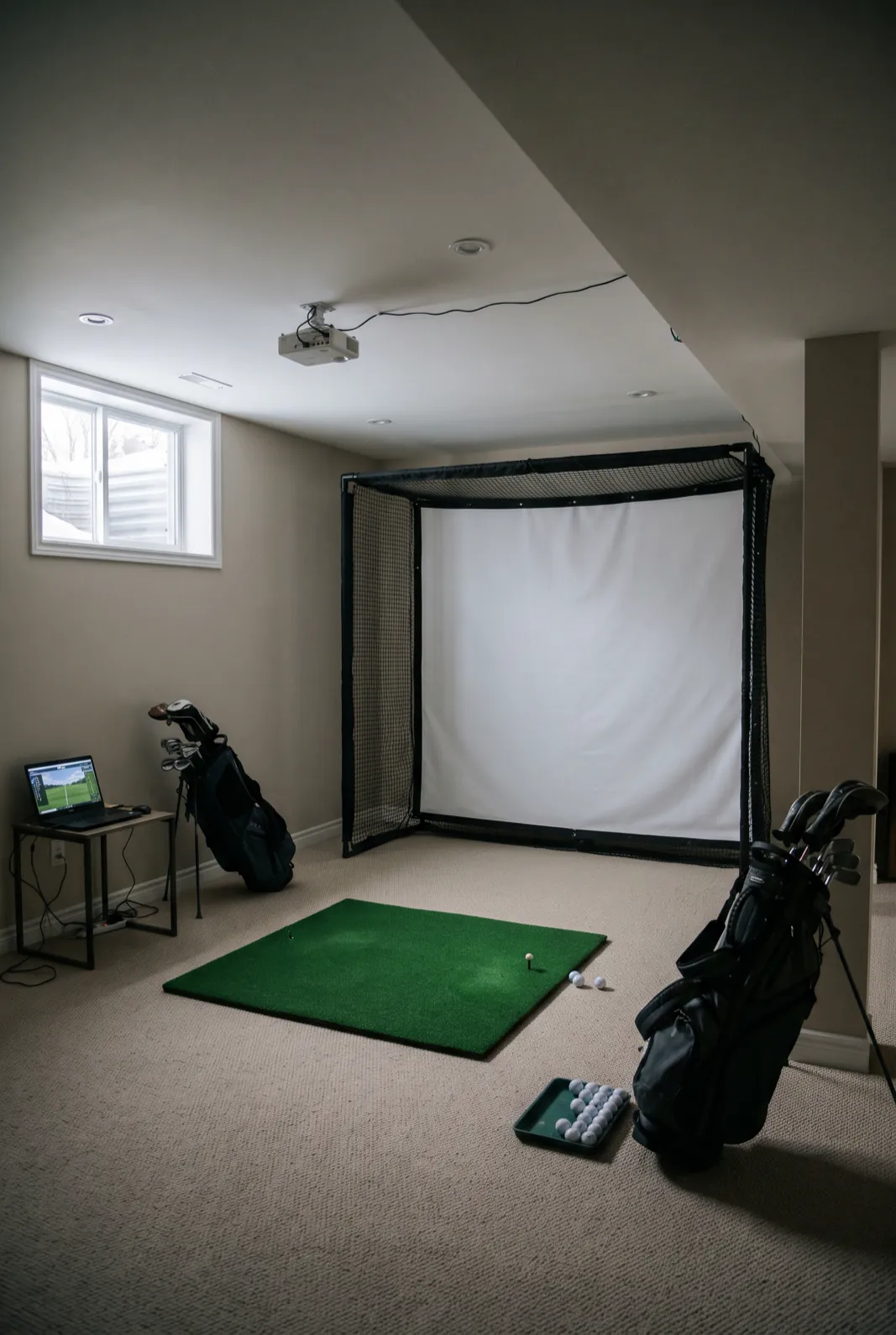
A home golf simulator sounds simple: a screen, a mat and a sensor. In practice it is a small construction project, and the room matters as much as the equipment. This guide walks through what a home setup needs, the checks to do first, and when booking a private bay is the better call.
What a home golf simulator needs
Every home setup is built from the same pieces. Each one has a range of options, and the choices add up.
- A launch monitor. The sensor that reads each shot. This is the part that decides how accurate the whole setup feels.
- Software. Some monitors include a driving range only. Playing full courses often means a separate software licence or subscription.
- A computer. Course software needs a capable machine to run smoothly.
- A projector and an impact screen. Or a net and a TV, if you only want to practise.
- An enclosure and netting. To catch mishits before they find a wall, a window or the furnace room door.
- A hitting mat. A good mat is kinder to your joints and your clubs than a cheap one.
For how the sensors and software work together, see how golf simulators work.
Check the room before you buy anything
Most home simulator plans end at the tape measure. Do these checks with your own longest club before you look at equipment.
- Ceiling height. Take a slow, full swing with your driver where the mat would go. If the club comes close to the ceiling, ducts or a light fixture, the room will not work for full swings.
- Width. You need room for the swing on both sides, and more if right-handed and left-handed golfers will both use it.
- Depth. The ball needs distance to the screen, and the sensor needs space behind or beside you, depending on the type.
- Light and power. Projectors want a dark room. Basement windows and bright pot lights wash out the picture.
The hidden cost is your time
Researching parts, building the enclosure, calibrating the projector and updating software all take time. Some golfers enjoy that project. Others just want to hit balls on a Tuesday night.
When a home golf simulator makes sense
- You have a room that passes the swing test with space to spare.
- You will use it several times a week, for years, not one winter.
- Several people in the house golf, so the cost spreads across the family.
- You like building and tuning equipment, and you are fine fixing it when it breaks.
When renting a private bay makes more sense
If your basement fails the swing test, or you are not sure how often you will really play, renting is the low-risk way to find out. PGM Indoor Golf has six private simulator bays at 6712 Fisher St SE in Calgary, open 24 hours a day, every day of the year. Each bay has its own simulator and touchscreen, more than 200 virtual courses, a virtual driving range and Swing Cam, all included in the bay rate.
The rate is per bay, per hour, shared by everyone in the bay, plus GST. Winter rates are $20 an hour early mornings and late nights, $40 an hour during the day Sunday to Thursday, and $45 an hour Friday evening and Saturday. If you plan to play a lot, the memberships lower the cost per hour, and the Night Owl plan gives unlimited bookings in the early and late hours.
There is nothing to set up or maintain. You book online, get a door access link by email, and the simulator turns on at your start time. Bring your own clubs, since PGM does not provide any. The rates page has a planner for working out a monthly total to compare against a home setup.
Your next step
Do the swing test at home this week. If the room passes, start pricing parts. If it does not, or you want to see how often you will really play first, book a few sessions on the Calgary booking page and keep track of your hours.